
Community
Share your experience!
Turn on suggestions
Auto-suggest helps you quickly narrow down your search results by suggesting possible matches as you type.
Showing results for
- Community
- Xperia
- XPERIA archive
- Xperia L Inverted screen
Options
- Subscribe to RSS Feed
- Mark Topic as New
- Mark Topic as Read
- Float this Topic for Current User
- Bookmark
- Subscribe
- Mute
- Printer Friendly Page
Xperia L Inverted screen

- Mark as New
- Bookmark
- Subscribe
- Mute
- Subscribe to RSS Feed
- Highlight
- Report Inappropriate Content
March 2014
March 2014
Xperia L Inverted screen
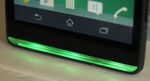
It has been like this since the update. Any help will be appreciated.
7 REPLIES 7

- Mark as New
- Bookmark
- Subscribe
- Mute
- Subscribe to RSS Feed
- Highlight
- Report Inappropriate Content
March 2014
March 2014
Try the basic, repair your phone with SUS or PCC
Bridge (for Mac)
Alternatives on How to backup Xperias
- Mark as New
- Bookmark
- Subscribe
- Mute
- Subscribe to RSS Feed
- Highlight
- Report Inappropriate Content
March 2014
March 2014
If that doesn't work stop by a Sony repair center
- Mark as New
- Bookmark
- Subscribe
- Mute
- Subscribe to RSS Feed
- Highlight
- Report Inappropriate Content
March 2014
March 2014
I tried SUS and PC-Companion. I also did a factory reset on my phone. Does that mean it is a hardware fault?
- Mark as New
- Bookmark
- Subscribe
- Mute
- Subscribe to RSS Feed
- Highlight
- Report Inappropriate Content
March 2014
March 2014
I'm afraid so


- Mark as New
- Bookmark
- Subscribe
- Mute
- Subscribe to RSS Feed
- Highlight
- Report Inappropriate Content
March 2014
March 2014
*#*#7378423#*#*
Try to calibration your gyroscope then reboot phone

- Mark as New
- Bookmark
- Subscribe
- Mute
- Subscribe to RSS Feed
- Highlight
- Report Inappropriate Content
March 2014
March 2014
how did this problem occur on your mobile..
- Mark as New
- Bookmark
- Subscribe
- Mute
- Subscribe to RSS Feed
- Highlight
- Report Inappropriate Content
March 2014
March 2014
Go to google play, install an app called Screen Rotation Control, open the app, choose the way you want the screen to be rotated. You can choose between portrait, reverse portait, landscape, reverse landscape and auto. (When you choose auto the screen rotates depending on how you tilt your phone)

0online
1904198posts